Agentic LinkedIn content for coaches
An agent that turns a coach's website and files into LinkedIn posts
TL;DR
Coaches needed to stay visible online, but were too busy to create content and had no interest in learning editing tools. We built an MVP that generated LinkedIn posts from their website, recordings, images and documents, using text and image agents that scored and refined their own output. We landed our first paid customer within two days, without any marketing.
- Year
- 2026
- Role
- Lead designer
- Team
- 4 engineers, 2 designers, 2 co-founders

Context
At quso.ai, we started with a focused set of tools for content creation. Over time, avatars, recording, AI video, and other features got added. The product became feature-rich but harder to explain who it was actually for.
We decided to pick one customer type and rebuild around their actual problem. We went through product data, support tickets, and user interviews. One group kept coming up: coaches.
Through interviews, we learned that coaches are busy running their business, and most are non-technical with no interest in learning editing software. Staying visible online mattered, but the work to get there didn't fit into their day. Most had already outsourced it to virtual assistants.
We saw an opportunity to automate the work of turning their existing content into social posts. We built an MVP that generated LinkedIn image posts from their website, documents, images, and recordings. The goal was to test whether coaches would actually use it.
Agentic pipeline
Brand context
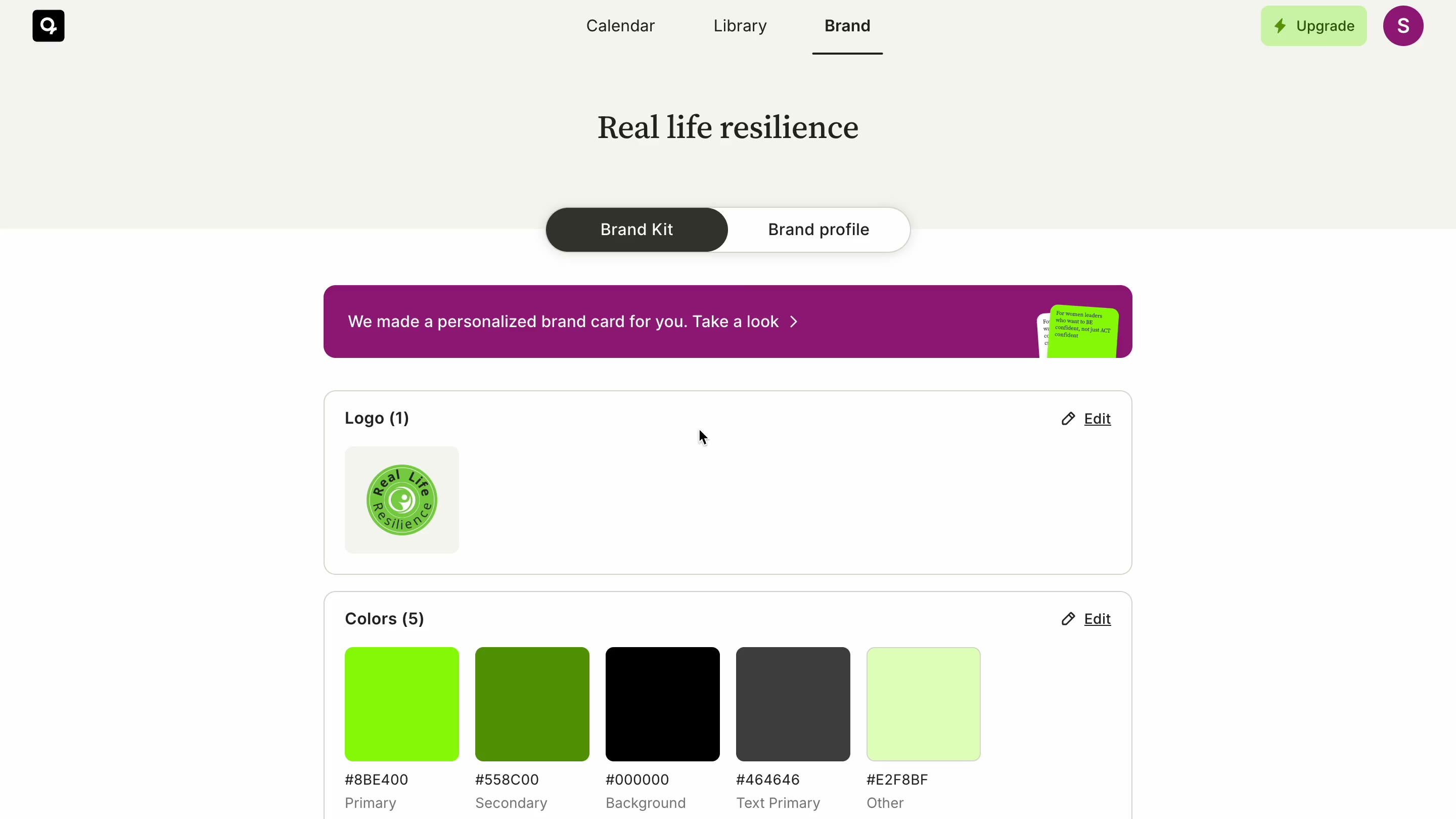
We pulled brand context for each coach by scraping their website using Firecrawl. We extracted three things: a brand profile, images, and a brand kit with logo, color palette, and font.
The brand profile covered voice and tone, do's and don'ts, target audience, and more. The raw output was noisy, so we ran multiple LLM passes to clean and structure it. Not everything made it through. Only what actually changed the output kept its place.
Artifacts
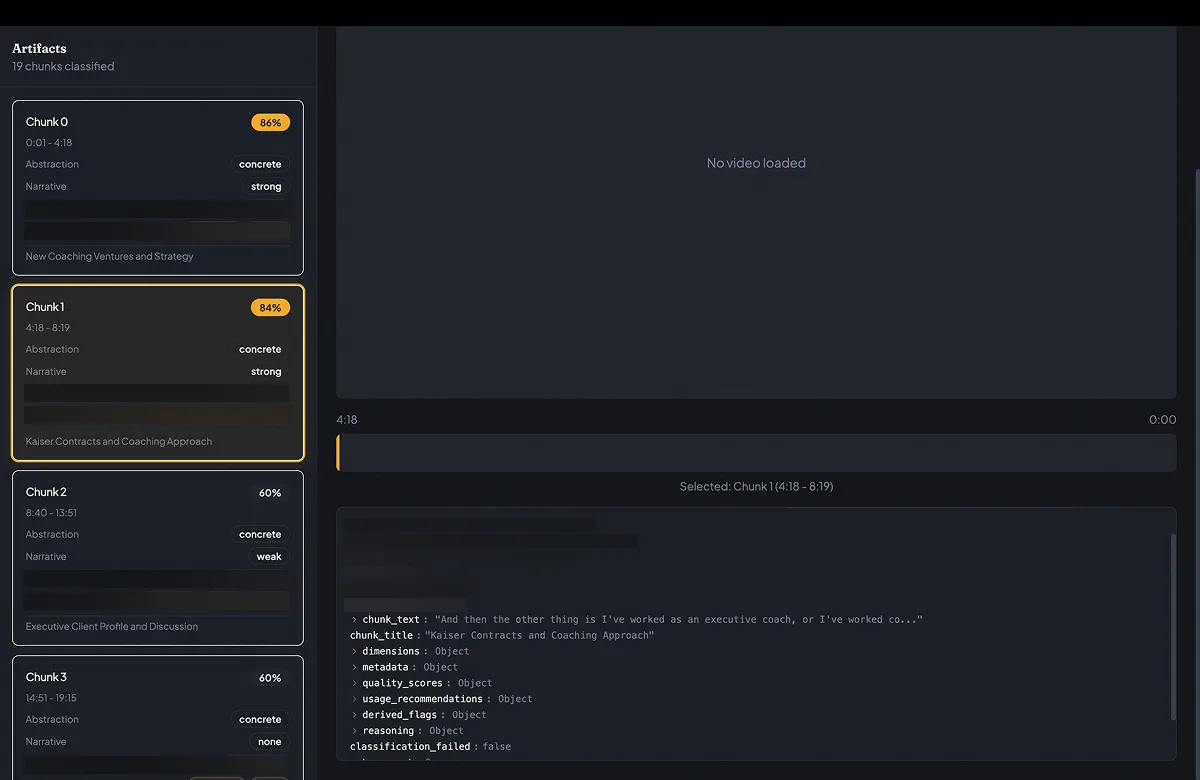
We converted the source content into text first, then broke it into topic-based chunks called artifacts. Each artifact was tagged across dimensions like abstraction level and narrative structure. These became the raw material the agents worked from.
Text agent
The text agent combined the brand context from the coach's website with the selected artifacts to generate captions. Generation ran through a loop: generate → evaluate → refine. The agent kept iterating until the caption's overall score crossed a confidence threshold.
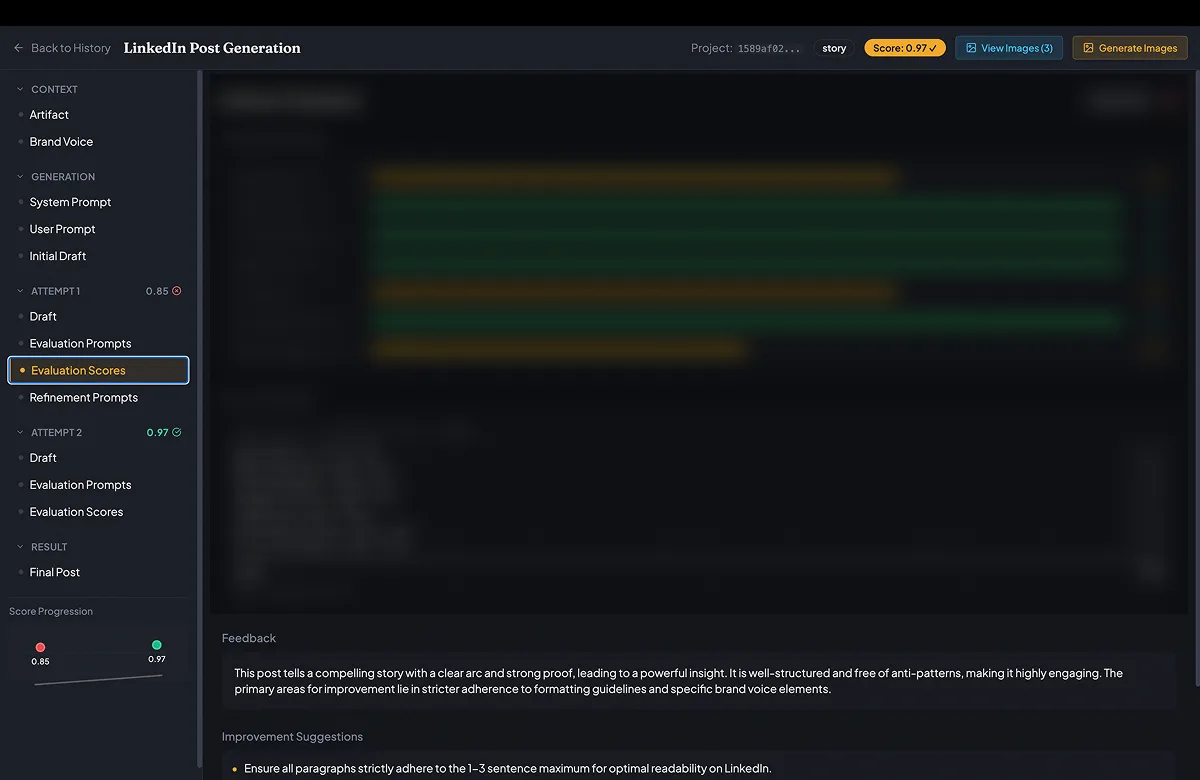
Image agent
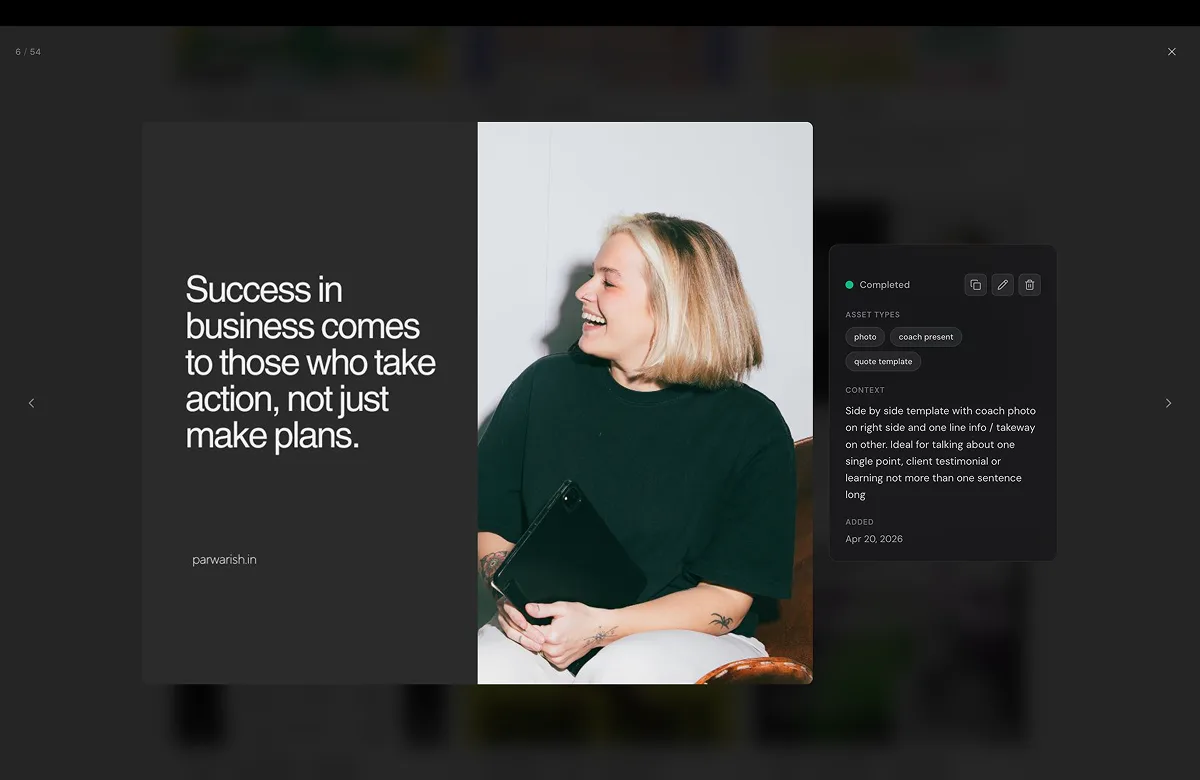
The image agent took the final caption and brand context, and selected a template from the repository to generate the image. Each template carried metadata describing its visual style and the type of post it was suited for.
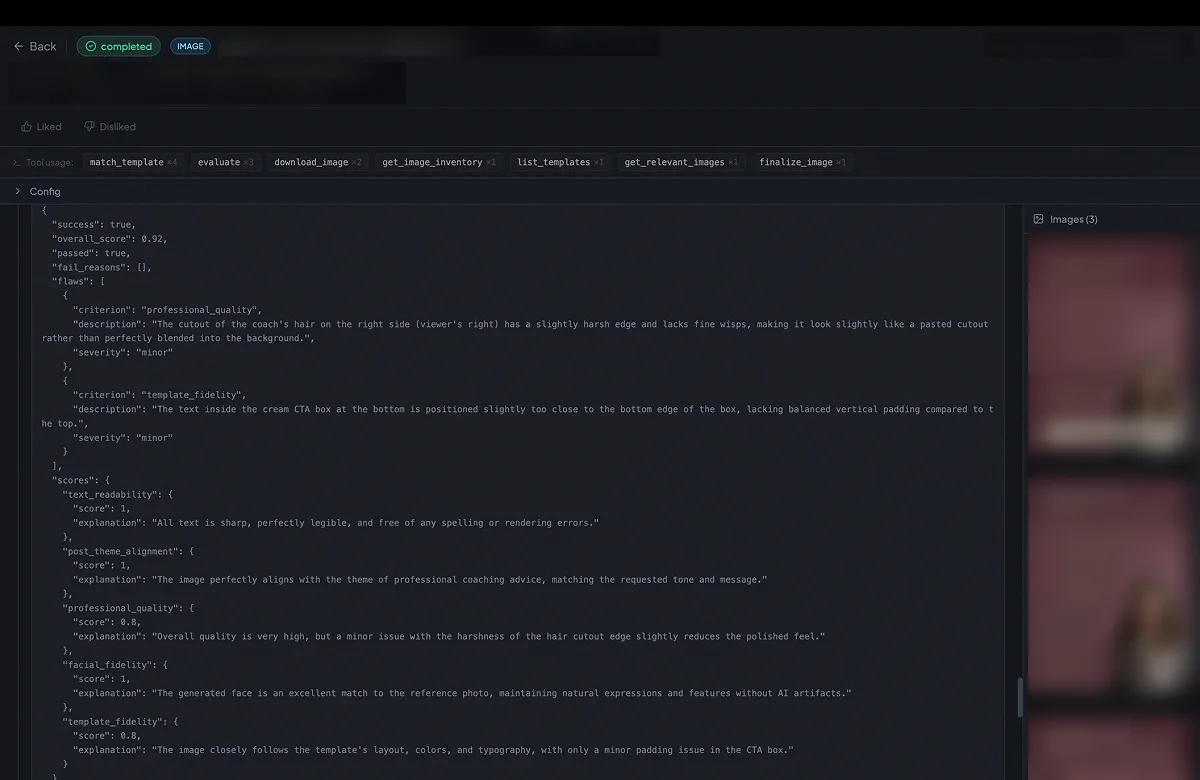
From there it ran the same loop: generate → evaluate → refine, until the image crossed the confidence threshold.
The final caption and the final image were then combined into the finished post.
Prototypes
Brand setup
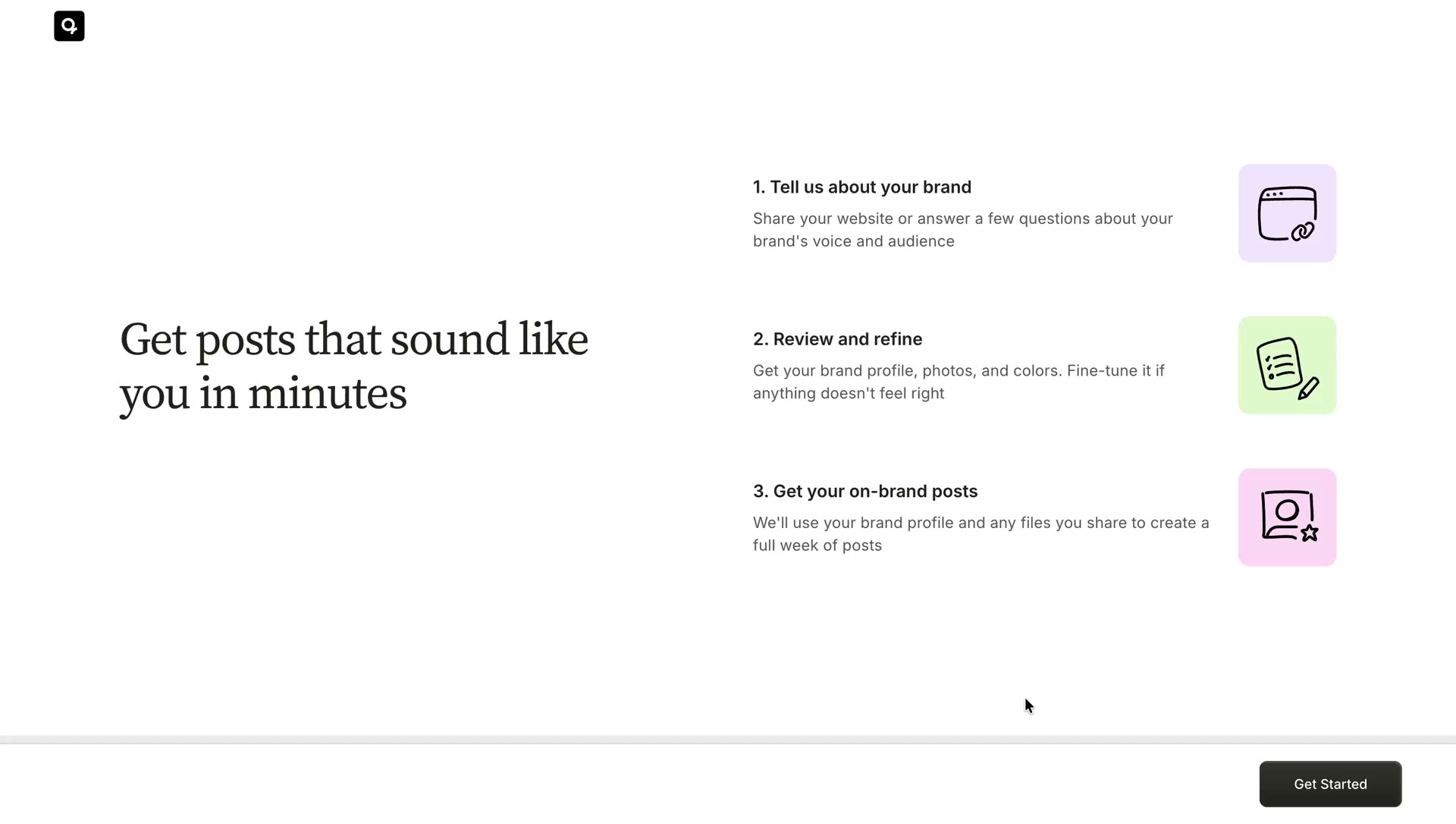
The last step of the brand setup was a waiting screen instead of a redirect to the content calendar. Sending users there mid-generation would have meant posts arriving one by one, each needing a separate review before the next was ready, creating a stop-start experience.
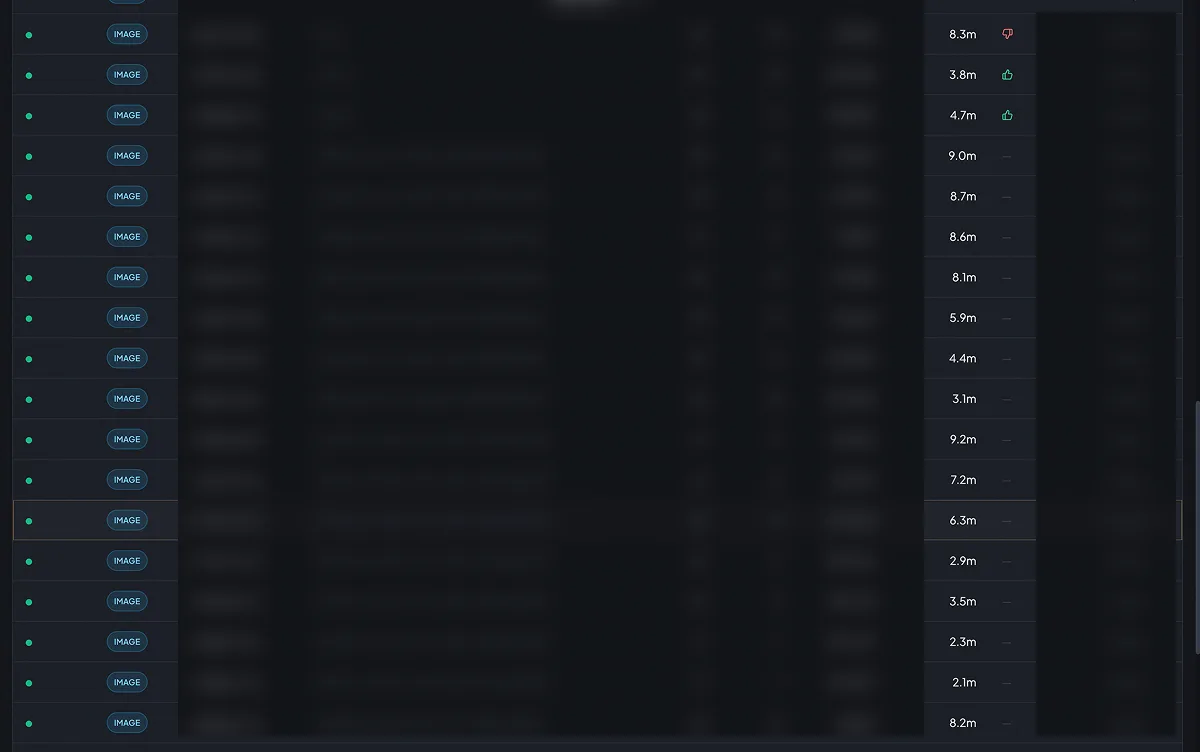
The internal tool showed the agent generated almost all images in under 10 minutes. We held coaches on the waiting screen until everything was ready, so they could review all seven posts at once.
Reviewing and editing a post
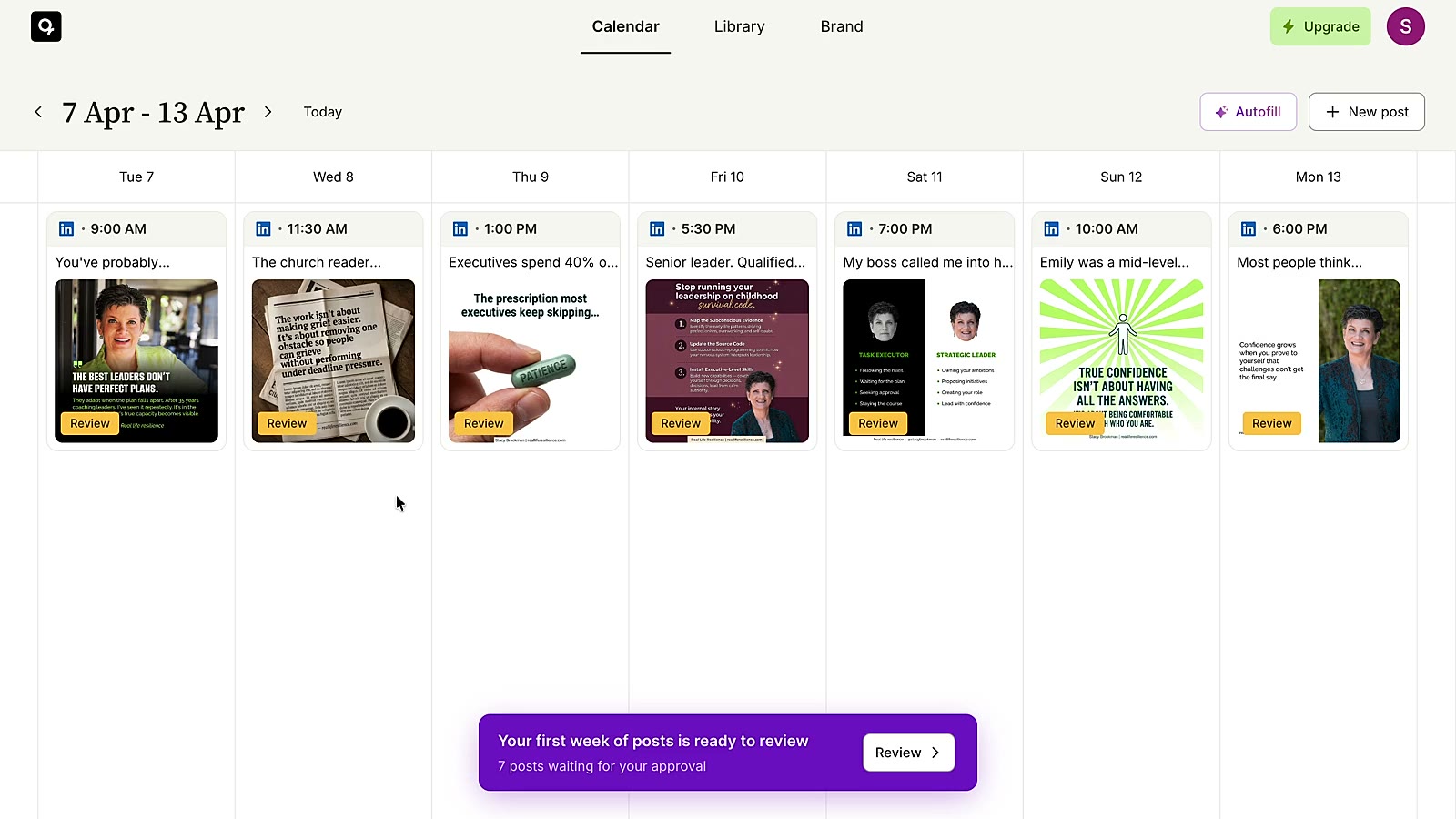
The review flow was built around momentum. Coaches landed on a card stack, a queue of ready posts, and moved through them one by one. Approving or rejecting a post swiped it left or right, clearing it from the queue. The goal was to keep the experience fast and lightweight.
For posts that needed changes, coaches could edit directly. The editing experience had two modes: manual editing for full control, and an AI refine option scoped to the caption only. Users could swap the image out with one from their library.
The review screen also had a “See as LinkedIn post” toggle, which showed coaches how the post would look on the platform.
Library
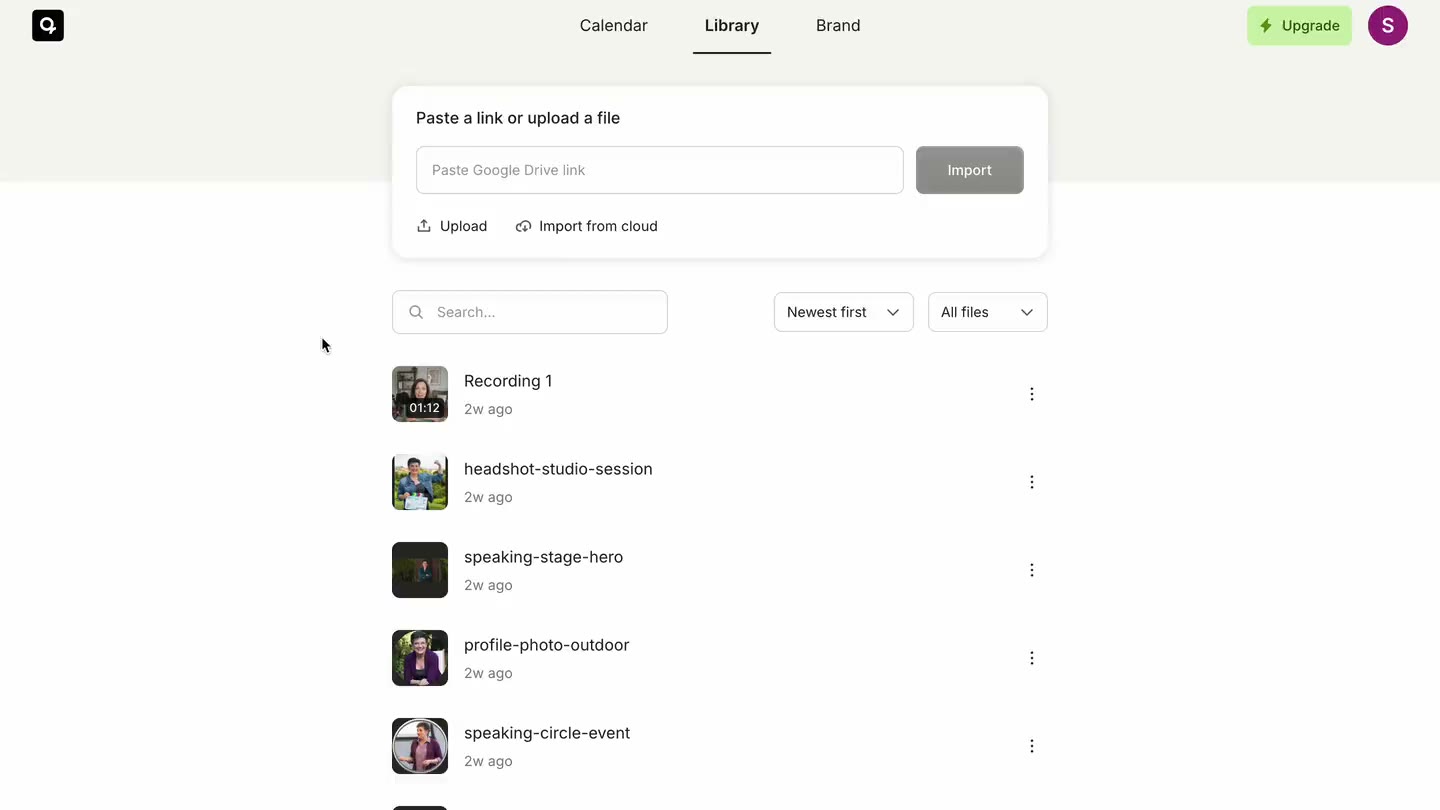
The library is where coaches add their existing content: recordings, documents, and images. Everything uploaded here feeds into generating their posts.
For this version, we kept things minimal. Coaches could add content and tell us what they expected from each file.
Brand
The brand section includes the brand kit and the brand profile, both of which feed into the agent to generate on-brand posts.
The response
We rolled it out to users who identified as coaches during signup. Within two days, and without any marketing, we had our first paid customer.

The next few days of data and interviews told us where we needed to improve. Post quality needed to be better, and coaches wanted video and carousel formats too, which we hadn't built for. The gap between what we had and what coaches needed was too significant to close with small iterations.
We made the call to shut it down, sharpen the post quality, and build the pipelines for video and carousels.
Closing thoughts
One of the best decisions we made on this project was building an internal pipeline tool early. It gave us visibility into how the agent reasoned, what it pulled from the brand profile, and what happened at each stage of the pipeline. Designers, engineers, and founders could all look at the same generation, see exactly what shaped it, and have the same conversation. I believe that kind of tooling should be a default on any AI product, not something you add later.
I also believe trust carries more weight in AI products. Most of these products are only as good as the context users are willing to share, and people only share years of work, ideas, and content when they trust the product.