Transcript editor
An editor that lets users edit videos like editing a document
TL;DR
Non-technical users struggled with editing actions like trimming and splitting on our editor's timeline. We built a transcript editor that let them edit videos by editing words, using forced alignment to get exact timing for each word.
- Year
- 2025
- Role
- Lead designer
- Team
- 1 engineer, 1 co-founder
- Impact
- 63% faster edit-to-render

The problem
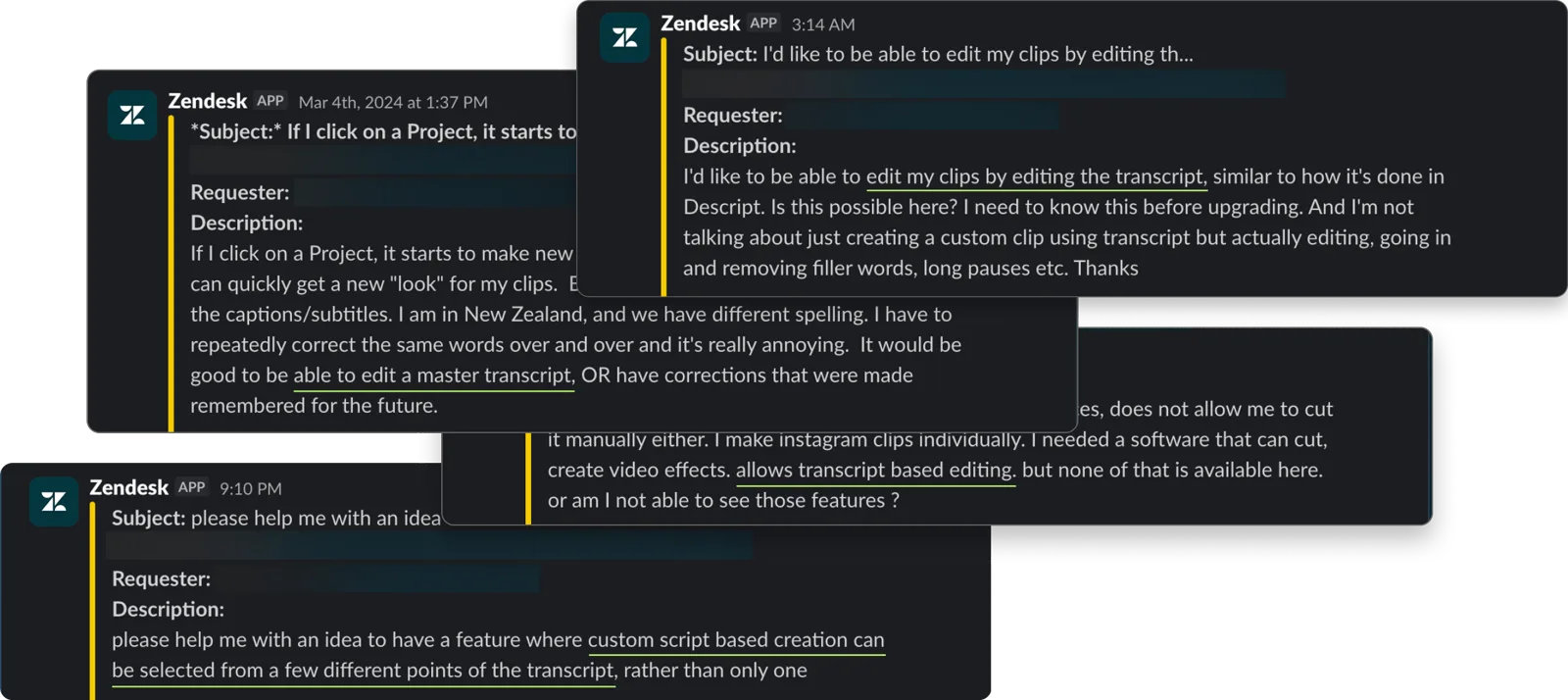
Our editor worked the way most video editors do: scrub the timeline, trim a clip by adjusting where it starts and ends, or split it into sections. Timeline editing worked for creators and editors already comfortable with it, but not for non-technical users. In interviews and support tickets, they kept asking to edit videos using the transcript.
The existing editing setup
Before we built the transcript editor, a user had two ways to make an edit.
The first was subtitle editing, which worked at the line level. We divided the transcript into timestamped chunks, and each chunk's words appeared on screen for its duration. Users could correct transcription errors, add new subtitle lines, and choose different subtitle styles.
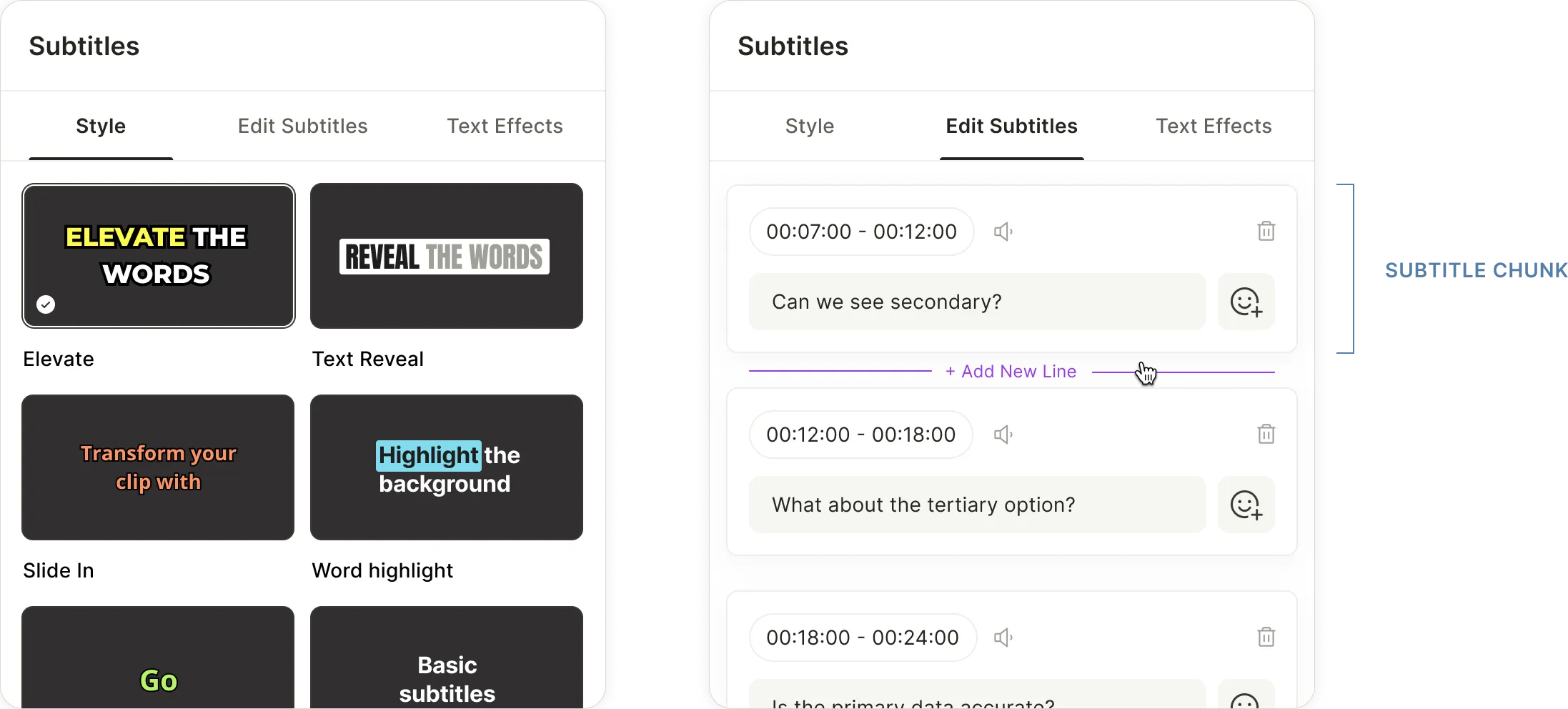
The other way was the timeline: scrub to find a moment, trim the video, split the timeline, and remove parts of the video.

Getting accurate word timing
To build an accurate transcript editor, we needed the exact start and end time of every word. If a user removed one word, we needed to know where that word started and ended in the audio, or we'd cut off the wrong part of the clip.
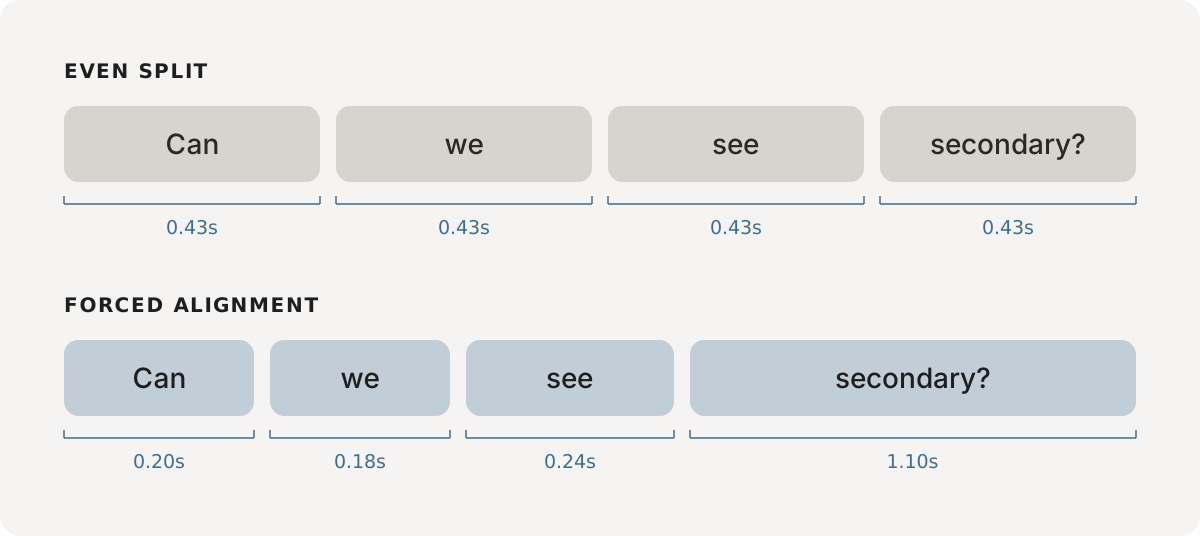
That's not what we had. We split each subtitle chunk's duration evenly across its words. A chunk running from 1:00 to 1:05 with five words in it split those five seconds evenly across them, whether or not that's how they were actually spoken.
This wasn't ideal, but it worked for the old line-level editor because small timing errors were barely noticeable in subtitles. It wasn't accurate enough for the editor we wanted to build because speech isn't even. Some words are rushed, some are drawn out, and the pauses between them vary.
We solved this with forced alignment: taking the transcript and the original audio together and aligning them to recover each word's true start and end time. Once we had that, removing a word in the transcript would cut the right part of the clip.
We updated subtitles to word-level timing too, so the transcript and subtitles stayed in sync. Keeping subtitles at the line level while the transcript worked at the word level would have meant the two drifting apart every time a word changed.
Defining transcript and subtitle roles
Subtitle editing originally served two purposes: correcting the words and styling how they looked. Word-level timing expanded its role beyond that.
Now both the transcript and subtitles could handle many of the same editing actions. We wanted each surface to have a clear role, so our first instinct was to draw a hard line between them.
Our initial split was straightforward. The transcript would own spoken-word changes: remove, correct, hide, and restore. Subtitles would own presentation: styling and adjusting subtitle timing.
As we walked through the workflow, the downside became obvious. A user could spot a mistake while working in subtitles, but fixing it meant switching back to the transcript, finding the same word again, then returning to subtitles.
Instead, we allowed users to correct, hide, and restore words from either surface, so they could fix small issues without switching back and forth.
| Actions | Transcript | Subtitles |
|---|---|---|
| Correct | ✓ | ✓ |
| Hide | ✓ | ✓ |
| Restore | ✓ | ✓ |
| Keep only this | ✓ | — |
| Remove | ✓ | — |
| Split a line | — | ✓ |
Some interactions only made sense in one place:
- Removing words and keeping only a selection. These interactions only live in the transcript. The transcript is continuous text, making it the natural place to remove anything from a single word to multiple paragraphs or keep only part of a transcript. Subtitles are organised into timestamped chunks rather than continuous text, so these interactions don't translate cleanly there. We explored supporting them in subtitles, but every solution introduced a new inconsistency, so we kept them in the transcript.
- Split line. Split line only lives in subtitles. It changes how a timestamped chunk wraps on screen without changing the spoken words. Since the transcript doesn't control presentation, the interaction doesn't belong there.
Interactions
Correcting a word
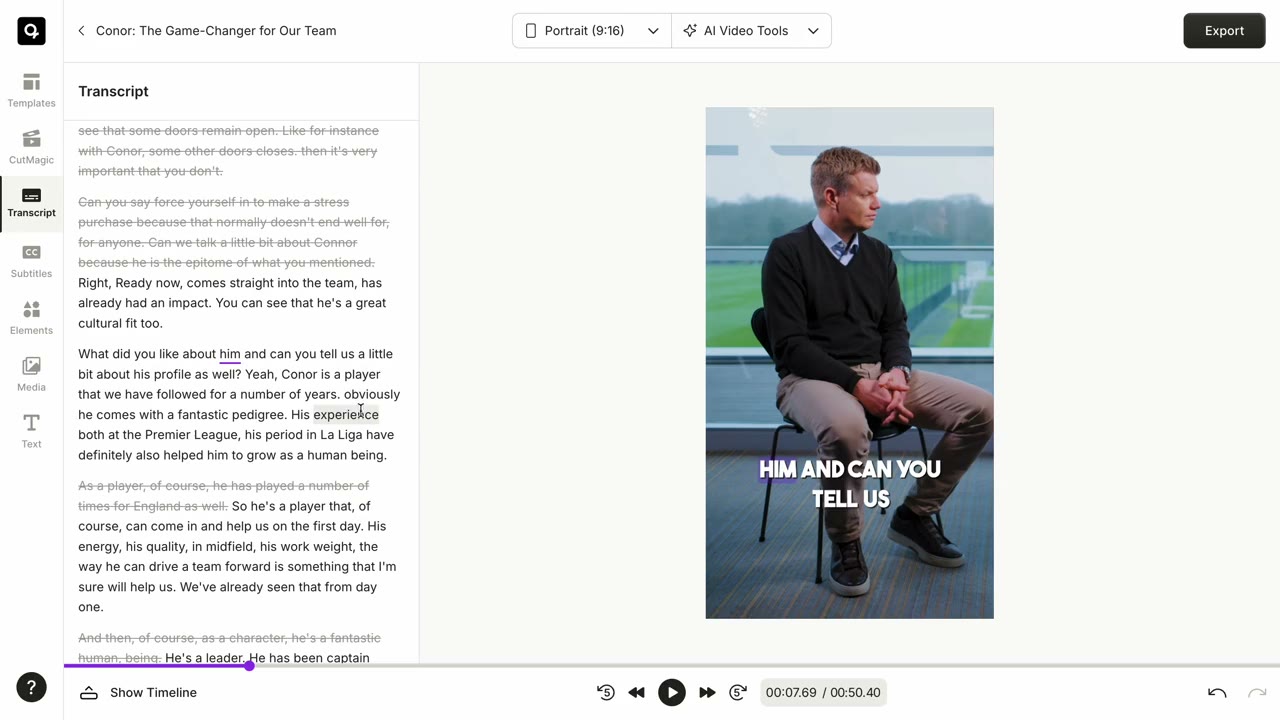
Users could fix transcription errors in place by either double-clicking a word or choosing Correct from the context menu. Once in edit mode, they could apply the correction only to that occurrence or everywhere the same word appeared in the transcript.
Removing text
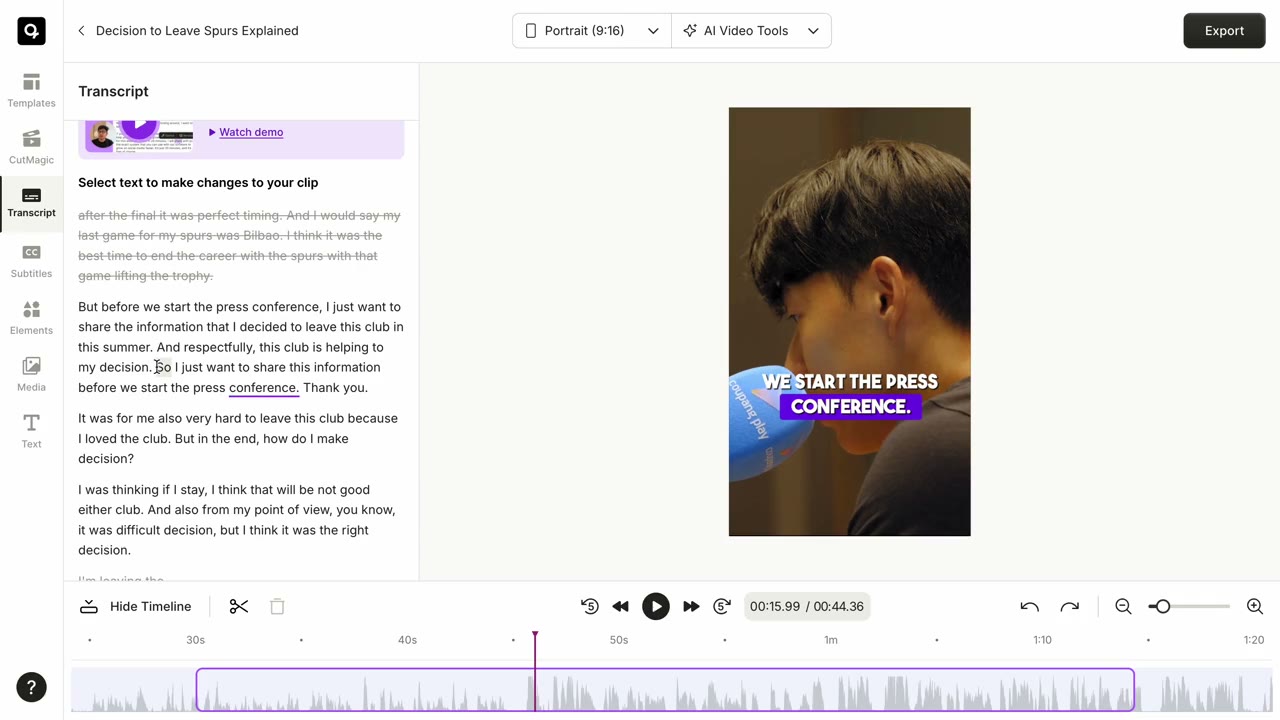
Users could remove text by choosing Remove. This removes the corresponding text from the transcript, subtitles, and audio.
Keep only this
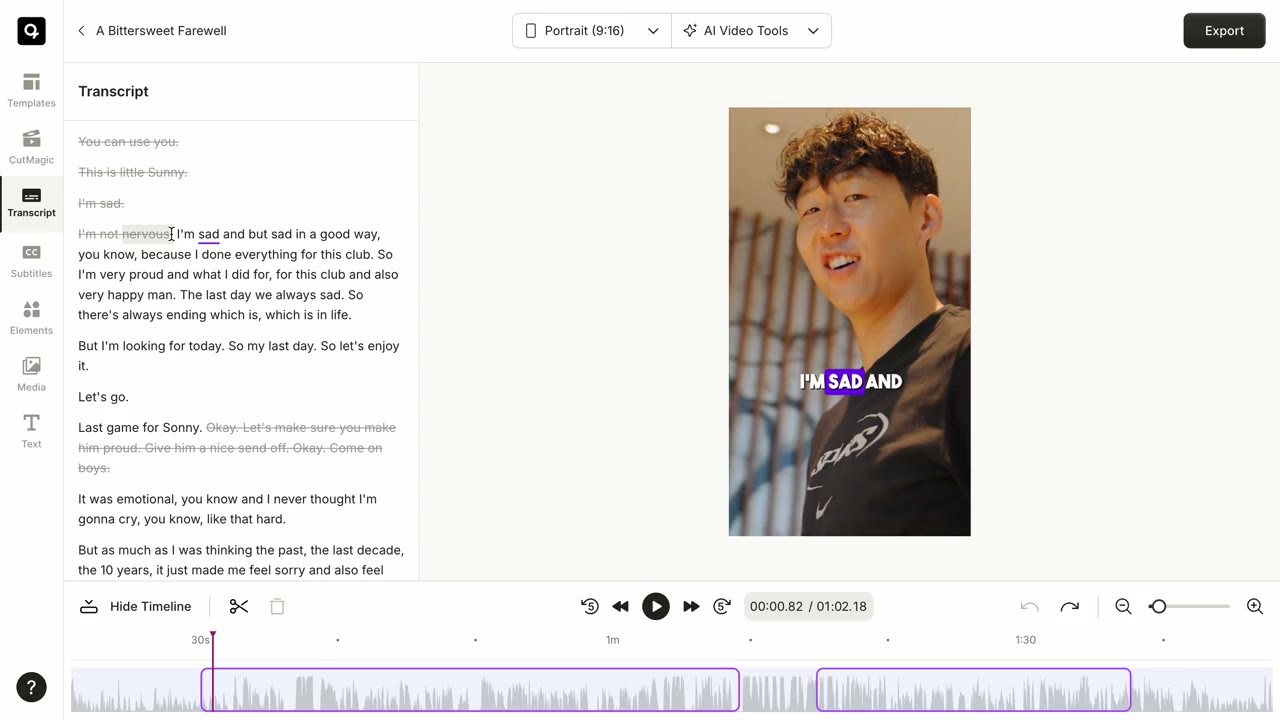
Users could select part of the transcript and choose Keep only this. This removes everything outside the selection, leaving only the selected portion.
Hiding a word
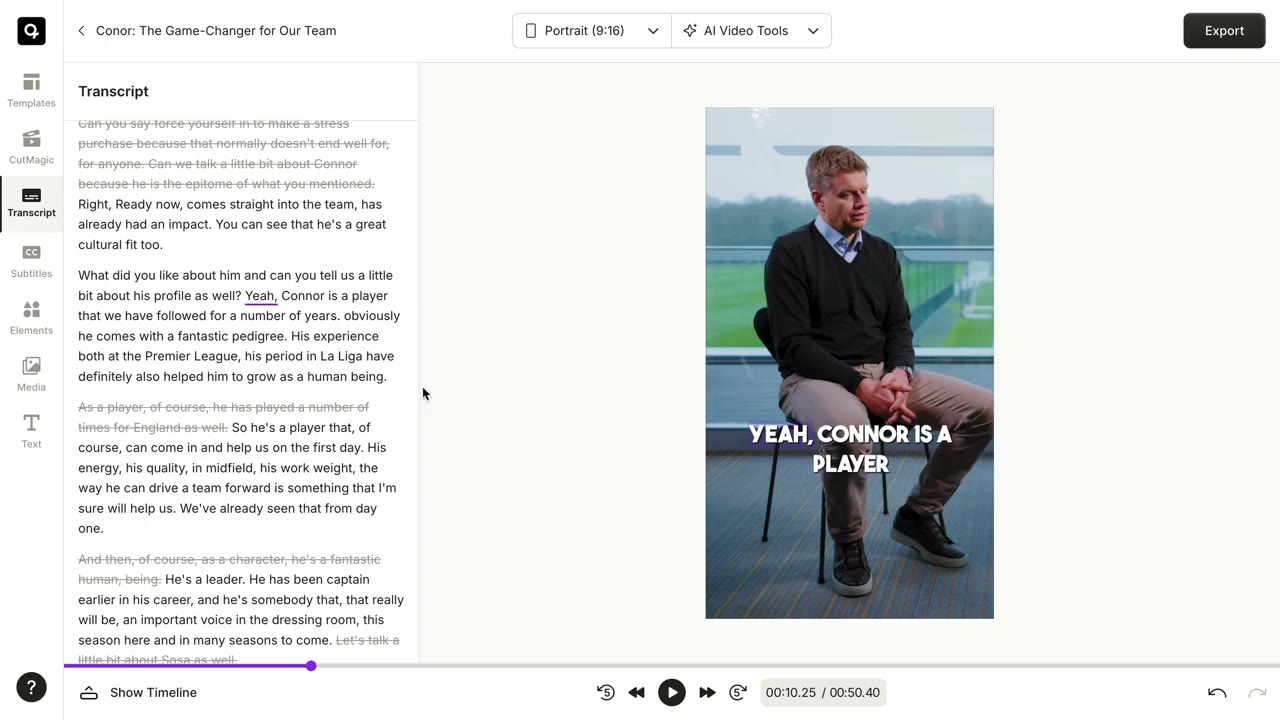
Users could hide a word from the subtitles while keeping it in the spoken audio.
Split line
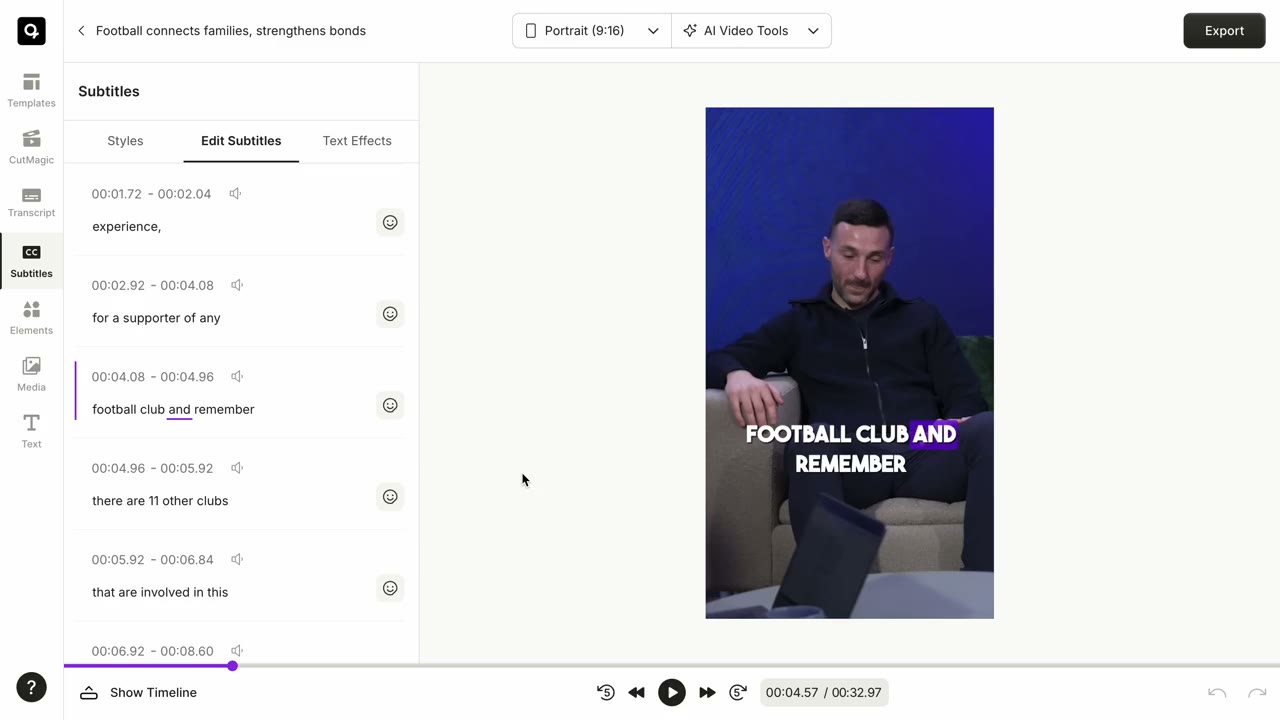
Users could split a subtitle at any word, creating two timestamped chunks and improving readability for longer subtitles.
Trade-offs
- No word merge. Hyphenated words like "check-in" were sometimes transcribed as two separate words, and each word carried its own timestamp. We had an idea on how to fix it, but had to deprioritize it.
- Editing one word at a time. The previous subtitle editor behaved like a regular text field, letting users edit a phrase or sentence in one go. Moving to word-level timing meant every word became an independent entity with its own timestamp, so edits now happened one word at a time.
Impact
We rolled out the transcript editor to new users, while existing users continued using the previous line-level editor. New users completed an edit and rendered a clip 63% faster than users on the previous editor.
The comparison wasn't perfect because it compared two different cohorts rather than the same cohort before and after, but it was still a strong early signal that transcript editing made common edits easier for users.